User manual · Requesters
Following your ticket
How to read your ticket page, reply, and reopen a resolved ticket within 14 days.
This page shows you how to follow up on a ticket after you have submitted it: reading its progress, replying, and reopening it if it was resolved too soon.
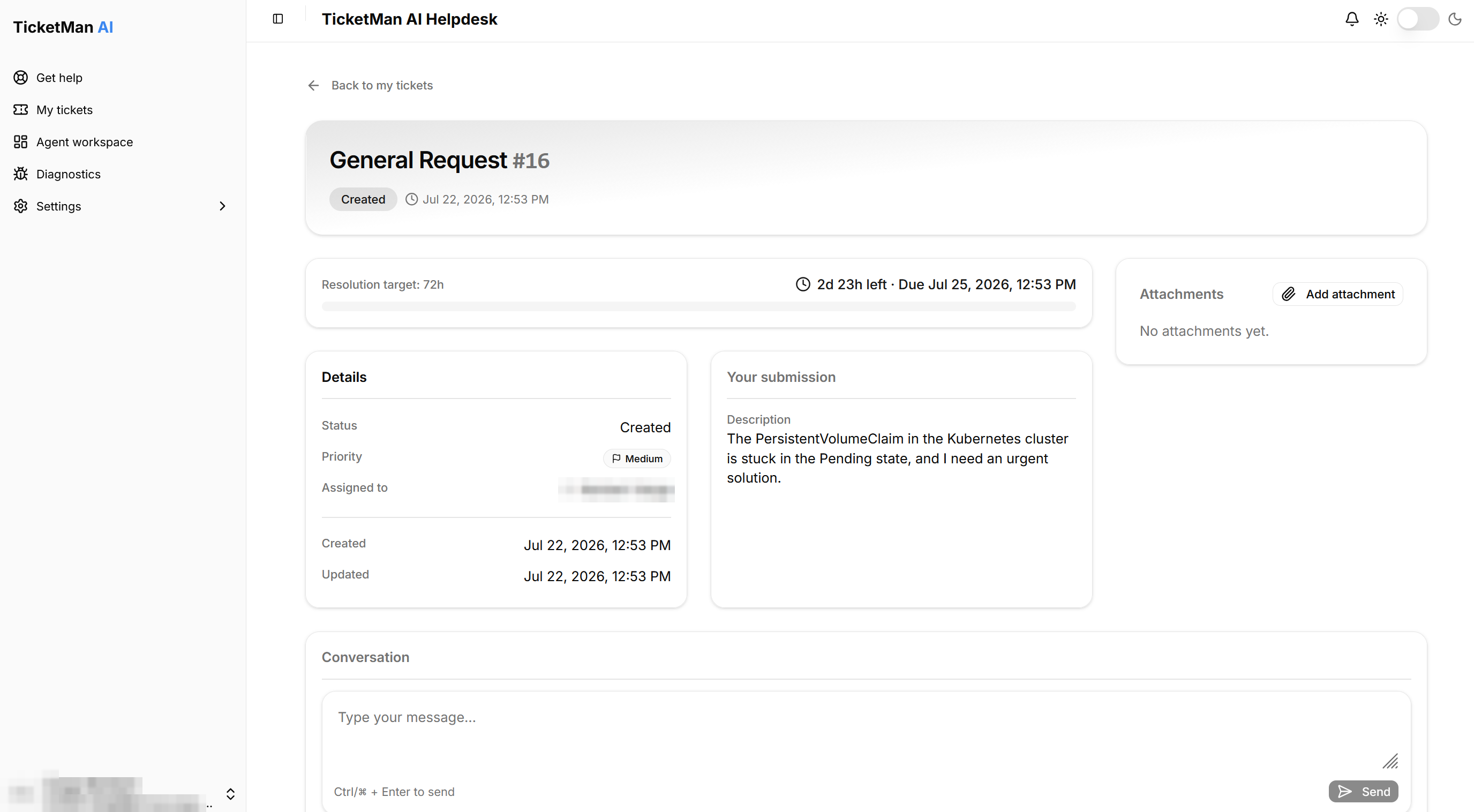
The ticket page
Opening a ticket from "My tickets" shows you:
- Its status and, if one applies, a "Resolution target" bar showing how much time is left.
- Its details: status, priority, who it is assigned to, and when it was created and last updated.
- "Your submission": the answers you gave on the request form.
- Any files attached to the ticket. You can add more at any time, and download or remove the ones already there.
- The conversation: every message exchanged about this ticket, newest at the top.
Replying
- Type your message in the box above the conversation.
- Select "Send".
Tip: pressing Ctrl (or Cmd on a Mac) together with Enter also sends your message.
Your own messages are marked "You"; replies from the support team are marked "Support".
Staying informed
You do not need to keep checking this page. TicketMan notifies you when:
- your ticket is created (a confirmation),
- someone starts handling your ticket,
- its status changes, including when it is resolved,
- its priority changes,
- the support team replies.
Each of these appears under the bell icon at the top of the page and is also sent to you by email. Selecting a notification opens the ticket it is about. You are not notified about changes you make yourself.
When your ticket is resolved
Once your ticket reaches the "Resolved" status, the work is considered complete. You can still read it, add files, and reply, and you can reopen it if it is within the reopen period described below.
Reopening within 14 days
If the resolution did not actually solve your problem, you can reopen the ticket yourself, as long as it is within 14 days of it being marked resolved.
- Open the resolved ticket.
- Select "Reopen request". The date this option disappears is shown next to it, labeled "Can be reopened until".
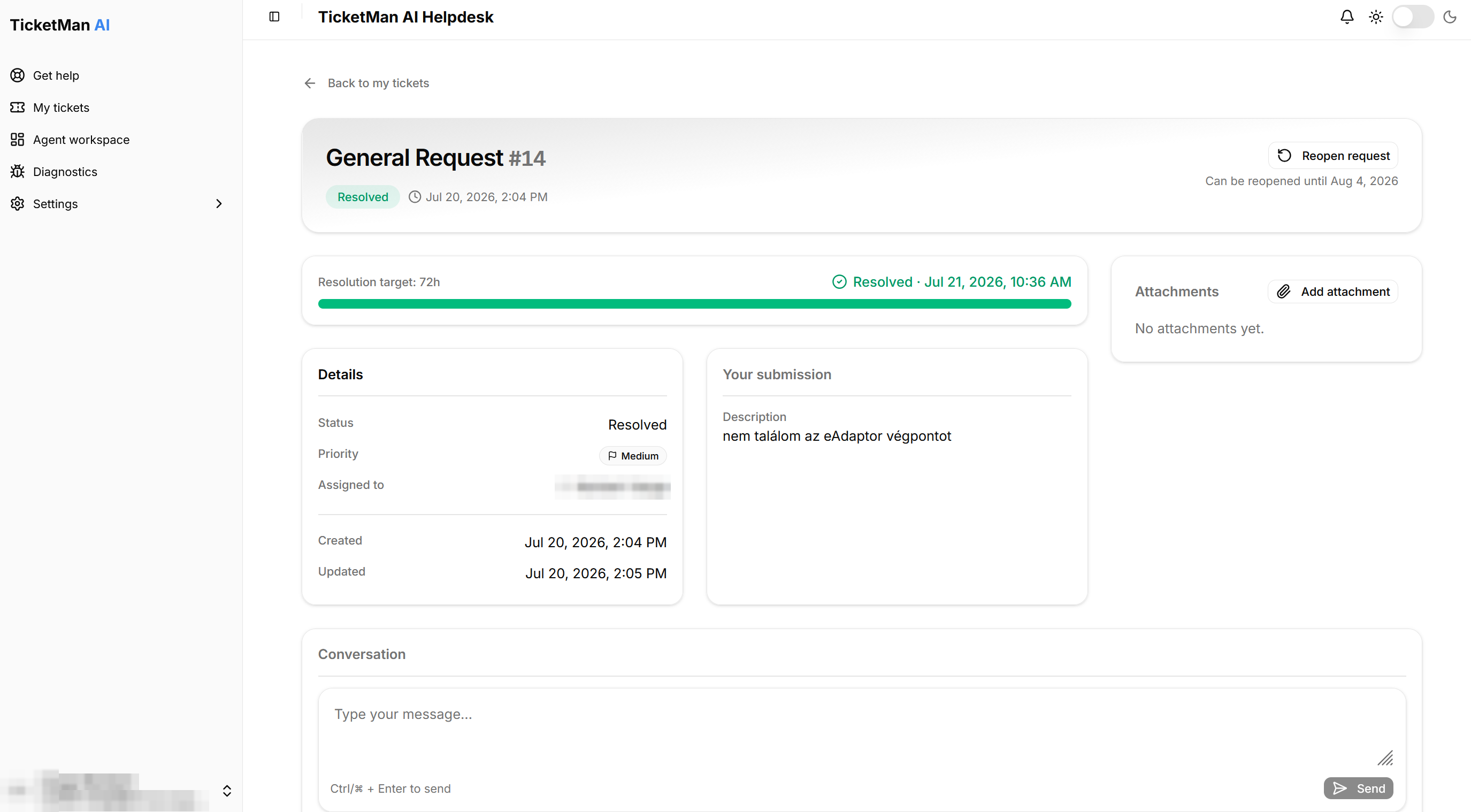
Once you reopen it, the ticket returns to "Work in Progress" and work continues.
After 14 days
Once the 14-day window has passed, the "Reopen request" button is replaced by a note that the resolution is final. You can still read the ticket, add files, and post a message, but posting a message does not reopen it or restart work. If you still need help with the same problem, start a new request from "Get help".
Replying by email instead of on this page is handled a little differently even past the 14 days. See "Email and your tickets" for how that works.