User manual · Requesters
The help assistant
How the help assistant answers your question before a general request becomes a ticket, and how to still create the ticket.
This page explains what happens after you describe your problem in a general request, before your request becomes a ticket.
The help assistant only appears when you use "Open a general request". Topics you pick from "Browse topics" skip straight to creating your request.
Asking your question
When you select "Submit request" on the "General Request" form, TicketMan first checks whether the answer to your problem already exists in your organization's documentation.
While it looks, you see a searching indicator and your question echoed back to you, followed by the answer appearing a little at a time as it is put together.
Reading the answer
If a useful answer is found, it appears with numbered references, like [1] and [2], next to the sentences they support.
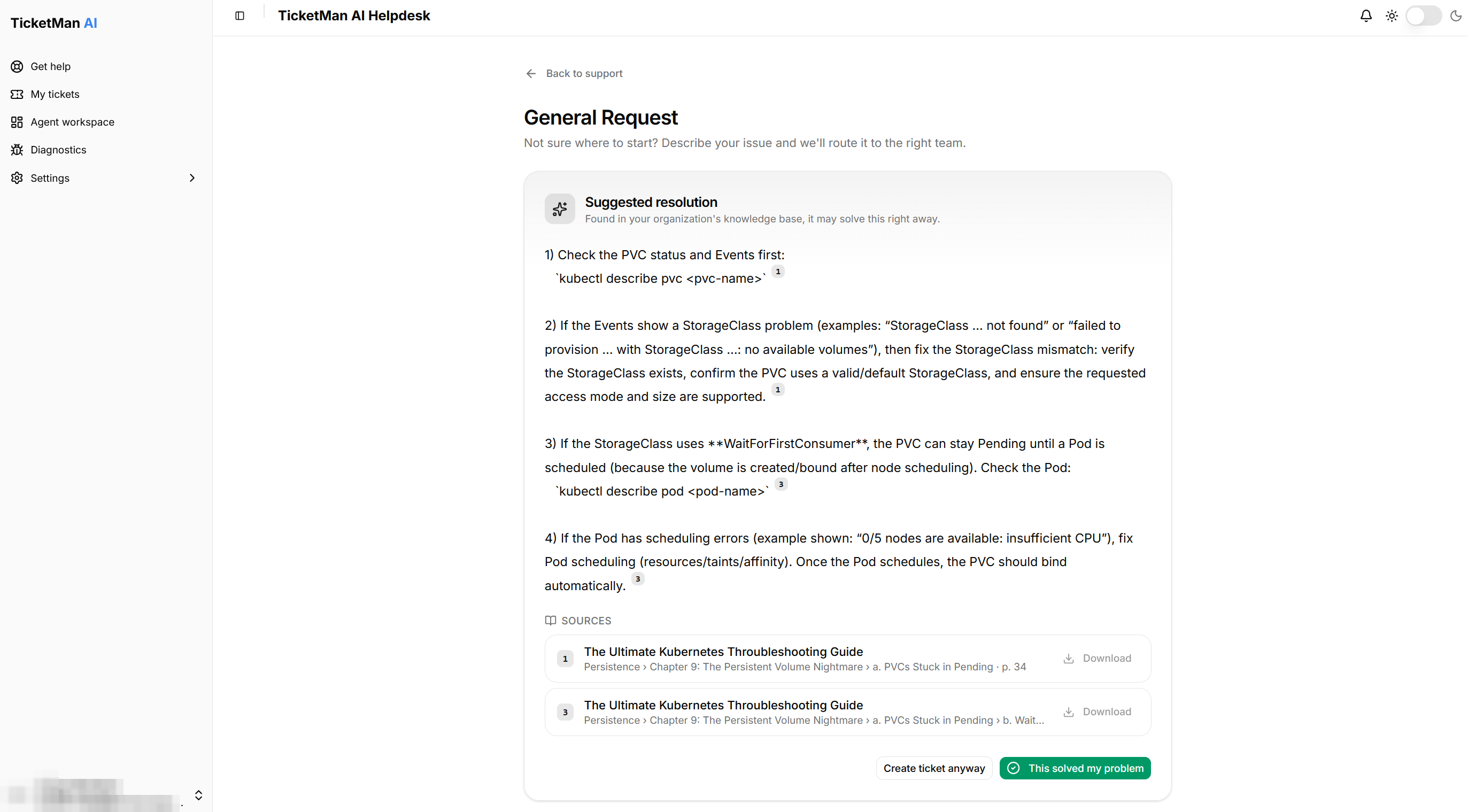
Under "Sources", you see the documents the answer came from. Select "Download" next to a source to save that document to your device.
If nothing useful is found, or something goes wrong while checking, you usually do not see an answer at all. TicketMan quietly submits your request as normal, exactly as if the assistant had not been asked. If something goes wrong after an answer has already started appearing, the part you already saw stays on screen, and you can still continue to create your ticket from there.
Telling us the answer solved it
If the answer solves your problem, select "This solved my problem". No ticket is created, and you are taken back to "Get help".
Creating the ticket anyway
If the answer does not solve your problem, or you would rather talk to a person, select "Create ticket anyway".
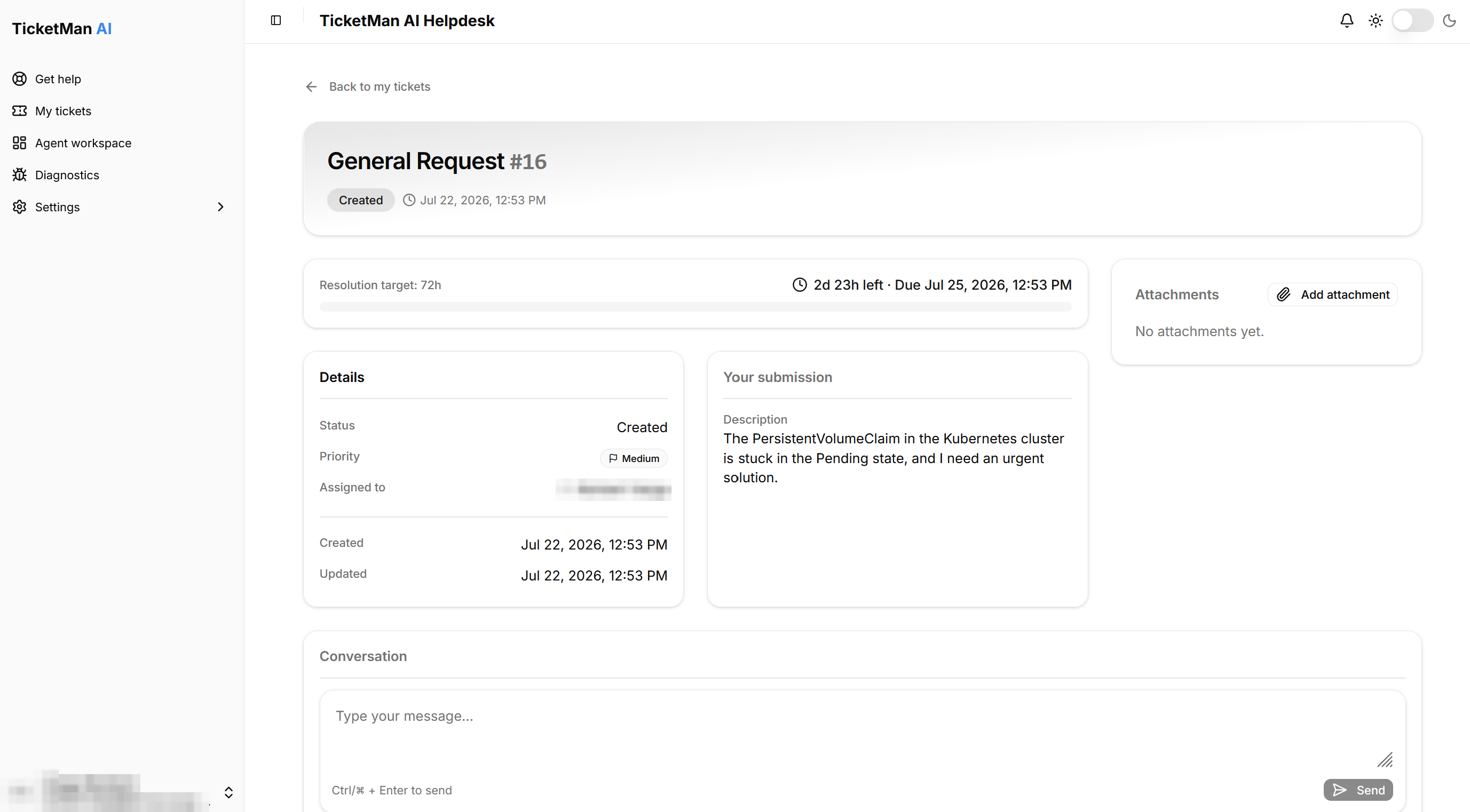
Your request is submitted with the details you already entered, and you are taken to its page. Continue to "Following your ticket" to see what you can do from there.